Let’s be honest: opening a Google Ads dashboard for the first time feels a lot like trying to learn a new language.
But here is the good news: you don’t need to be fluent from day one.
Google Ads is a massive ocean, and even the pros are constantly learning new “dialects.” The secret isn’t knowing everything immediately; it’s about rolling up your sleeves and starting with the essentials.
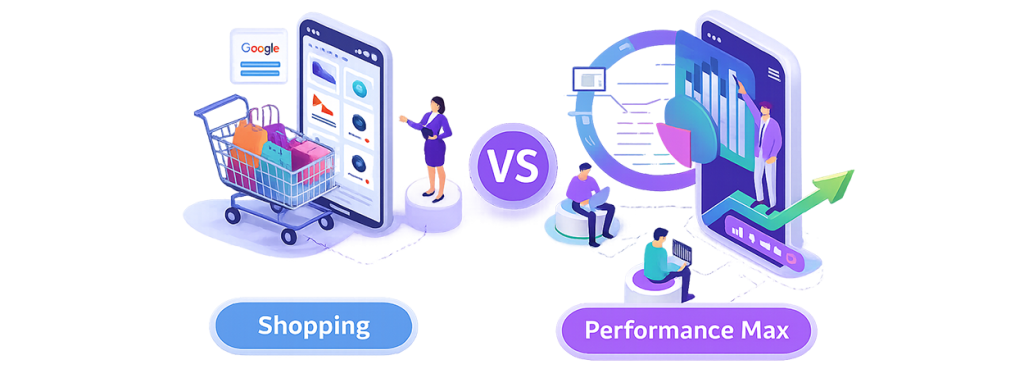
In this guide, we’re breaking down the two heavyweights of e-commerce: Standard Shopping and Performance Max (PMax). We’ll look at what they actually do and, more importantly, which one deserves your budget.
What Are Shopping Campaigns?
Think of Shopping campaigns as your digital shop window. When someone searches for a specific product on Google, these ads show them exactly what they’re looking for: a clear photo, the price, and your shop’s name.
These campaigns live and breathe through your Product Feed (the list of products you send from your website to Google Merchant Center).
You’re the Teacher. Standard Shopping gives you the control. It’s like teaching a student exactly what to do:
- Search Term Transparency: You can see exactly what words people typed before clicking your ad.
- Manual Control: If a specific product isn’t selling, you can lower the bid or stop showing it entirely.
- Granular Insights: You get to see the “why” behind your spend.
What Is Performance Max (PMax)?
Performance Max is Google’s “all-in-one” automated powerhouse. Instead of just sticking to search results, PMax puts your ads everywhere: YouTube, Gmail, Search, Display, and even the Discover feed.
You provide the headlines, images, videos, and Google’s AI decides where and when to show them.
You’re the Manager. Unlike Shopping, you don’t pick the keywords. You’re essentially hiring an expert and saying, “Here are the tools and the goal, go and find me customers wherever they are.”
The Quick Comparison
| Feature | Standard Shopping | Performance Max |
| Control | High | Low |
| Keywords | Indirect (via feed + insights) | Fully automated |
| Reach | Mainly Search & Shopping tab | All Google networks |
| Optimisation | Manual + data-driven | AI-driven |
Which One Should You Choose?
Go with Standard Shopping if:
- You want full control over optimisation
- You want to know exactly which search terms are costing you money.
- You’re in a niche where you need to be very specific about where you appear.
Go for Performance Max if:
- You want to find customers across different platforms (like YouTube).
- You have high-quality photos and videos ready to go.
- You trust the algorithm to find conversions you might have missed manually.
Many advertisers actually use both together.
Tip: If you run both at the same time for the same products, PMax will usually take priority. It’s often better to start with Shopping to learn the ropes before moving to PMax to scale.
How to Set Budgets
There’s no one-size-fits-all, but here’s a simple starting point:
- Start small: Start with a low daily spend. Treat this initial phase as a test where the primary goal is gathering data, not immediate profit.
- The 3-Week Freeze: Once you launch, do not modify your campaign for at least three weeks. The system requires this specific window of time to analyze user behavior and stabilize performance.
- Avoid Frequent Changes: Resist the urge to make daily adjustments. Constant manual updates prevent the platform from optimizing correctly and will likely reset the learning phase.
In Summary
Google Ads doesn’t have to be a nightmare. It’s just a new language, and like any language, you’ll get better with practice. Start small, keep an eye on your ROAS (Return on Ad Spend), and don’t be afraid to test.